NFS Mount Lazy Loading: Fixing Slow Boot Due to NFS
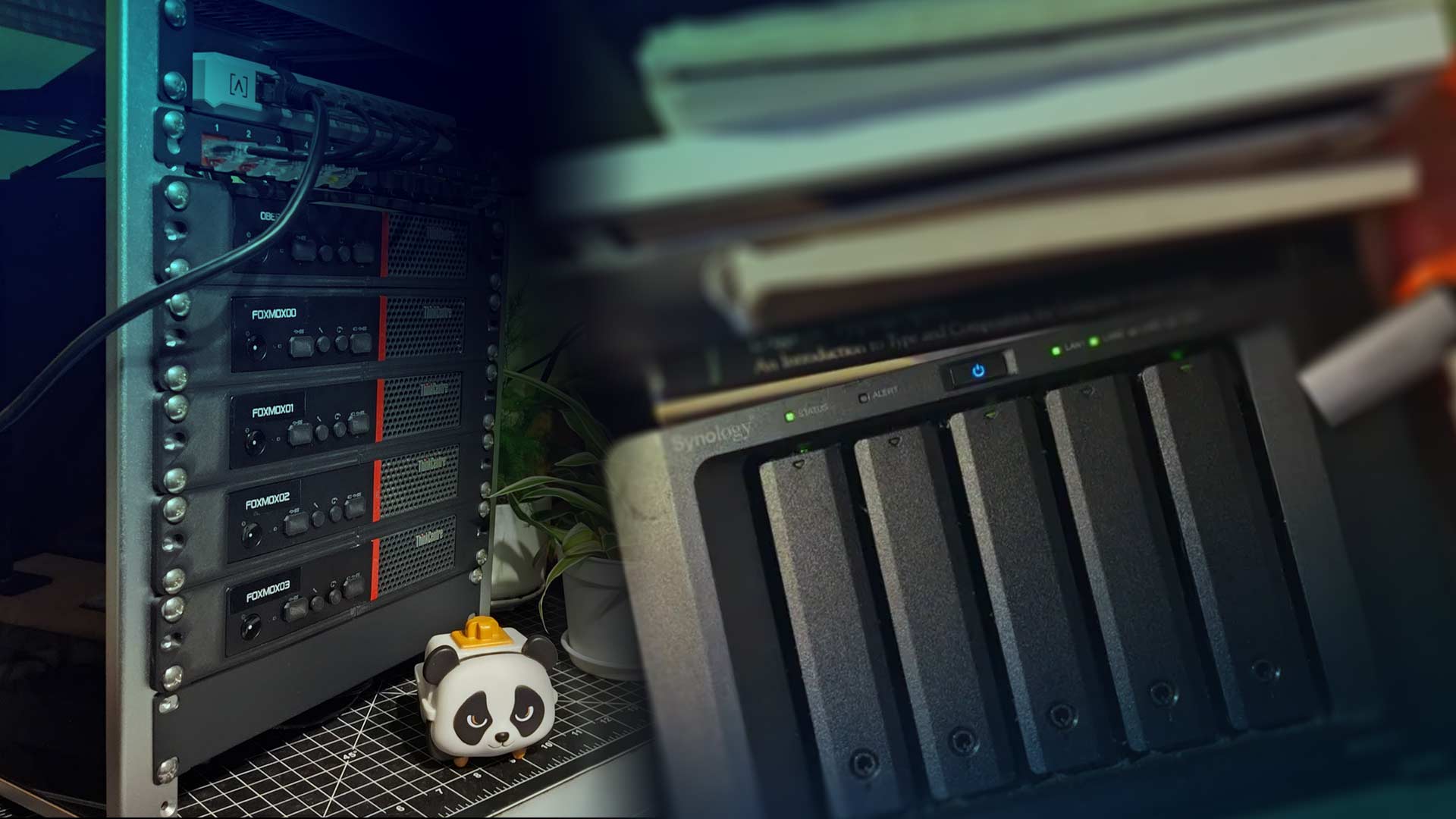
If you’re running NFS in your Homelab, you’ve probably dealt with this at least once.
You reboot a machine and it takes way longer than it should - long enough to mentally inventory every possible failure point before the login screen appears. Maybe Docker has a bad day because a bind mount wasn’t ready.
It happens, and when it does, chances are it’s because NFS wasn’t available the exact moment your system decided it should be. Modern Debian systems use systemd, and that gives us a better option: x-systemd.automount.
The Problem with “Normal” NFS Mounts
A typical /etc/fstab entry looks like this:
192.168.122.100:/volume2/docker-backups /mnt/docker-backups nfs defaults,_netdev 0 0
This isn’t just a typical entry; it’s one that provides Oberon access to a share on a Synology I back up Docker volumes and compose files to. It tells the system to mount the share at boot - assuming the network is ready, the Synology’s NFS service is reachable, and nothing strange is happening on the other end.
In a Homelab, those assumptions are adorable.
In reality, I should have the Synology plugged into a UPS - but it isn’t. It’s a less-than-critical resource on my network. When an occasional power outage happens, like during a blizzard, turning it back on is not at the top of the priority list.
Oberon, on the other hand, boots as soon as power is restored - and that boot can sometimes turn into a long wait or a partially-mounted mess. Lack of power protection aside, there’s unnecessary fragility here that x-systemd.automount helps solve.
Lazy Loading for Storage
Instead of mounting at boot, let systemd mount the share the first time it’s accessed. For Oberon, that’s likely when Backrest jobs kick in around 3AM.
Here’s the updated entry:
192.168.122.100:/volume2/docker-backups /mnt/docker-backups nfs defaults,_netdev,x-systemd.automount,x-systemd.idle-timeout=600 0 0
What changed?
- _netdev - still declares this is network-dependent
- x-systemd.automount - creates an automount unit
- x-systemd.idle-timeout=600 - optional, unmount after 10 minutes of inactivity
This changes things considerably. The system boots cleanly, no NFS dependency blocks startup, and the share mounts automatically the moment something touches /mnt/docker-backups. If things sit idle long enough, it cleanly unmounts.
What This Can Improve
In most Homelabs, NFS is used for backup targets, media libraries, Docker volumes that aren’t mission-critical at boot, and random “I don’t want this stored locally” moments. None of that needs to block your OS from starting.
With automount, reboots become predictable, storage outages don’t cascade into system instability, and you reduce tight coupling between compute and storage. You go from “hope the NAS is ready” to “mount when needed.”
Safe Implementation
First, make sure your mount points exist:
sudo mkdir -p /mnt/docker-backups
Next, edit /etc/fstab and apply the changes above.
Reload systemd:
sudo systemctl daemon-reload
Test without rebooting:
sudo mount -a
Confirm automount units:
systemctl list-units | grep automount
Finally, access the directory:
ls /mnt/docker-backups
You should see the mount trigger automatically and behave normally.
When This Isn’t a Good Idea
Automount is the wrong move for database volumes, critical application data, or anything that must be available before services start. If something absolutely depends on that storage at boot, you want explicit ordering and dependency management instead.
Improved Homelab Resiliency
In the majority of Homelab NFS use cases, this works well.
A Homelab exists for many reasons - one of them is learning. If a file server being offline can block another box from loading, that’s accidental tight coupling. Fixing it is a small configuration change that delivers a noticeable improvement and quietly eliminates those occasional “why is this hanging?” moments.
Further Reading
 Starting a Homelab the Right Way - With the Why
 The Self-Hosting Responsibility Spectrum
 Homelabs, self-hosting, and doing whatever the fsck you want.
Getting in Touch
Have a question? Want to talk tech? Curious about something you saw here?
Reach out. I’m always up for a good conversation, answering a thoughtful question, or geeking out over infrastructure, design, or the overlap between them. I’ll get back to you when I can.
Looking to build something? Launch something? Fix something?
If you see alignment between your work and mine, let’s explore it. I collaborate with IT organizations, creative teams, and builders who value thoughtful execution and clear outcomes. If it’s a good fit, we’ll make it happen.