The team at Minisforum sent me an N5 Pro last summer, during my time at Lawrence Systems, with a request for a review.
I was initially excited to review the system - and then it arrived.
Just a few hours with the system led to frustration with the reality of the unit vs. how it was being marketed. It was placed on the shelf, figuring support for the GPU and NPU would mature over the next couple of months - and that became half a year.
I definitely wasn’t alone in my frustrations; a glance at N5 Pro videos on YouTube revealed shallow reviews and a focus on Windows rather than the OS the system ships with. Videos covering its use for gaming as opposed to its marketing use indicated a clear struggle to review a product that just wasn’t ready. At the time:
- It had an NPU that was only accessible when running Windows
- The 5-disk array felt like a novelty if the system ran Windows
- A lack of proper hardware support screamed “potential” and little more
This was legitimately heartbreaking (or a pain in the NAS if puns are set to true) after my previous experience with a Minisforum mini-PC, and after another six months, the N5 Pro has become my self-hosted LLM and automation workhorse.
Setting Expectations
A few months before the N5 Pro landed on my front porch, I put the Minisforum AI X1 Pro through its paces, installing Proxmox and a handful of VMs.
I built a Docker host with an RTX GPU not long before the AI X1 arrived at my doorstep. Instead of it sitting on a shelf after the review, I gave it to a friend’s son - and time with the system led to an unexpected second video:
The AI X1 Pro was handed back to me a couple of weeks ago after a full year in a freshman dorm room, and it’s in great shape. There are a couple of scuff marks, but all in all, it’s looking like any other well-cared-for system.
The system went from the mini Homelab in the second video to a collaborative space for vibe coding ideas with classmates, then became the home of a collection of AI agents before being replaced by a system that better fits his needs.
My note on knowledge transfer from the end of the video came full circle when he fixed some quirks with a Hermes Agent instance I’ve been having problems with. Seeing the growth the mini PC had aided, along with the condition it came back in, set pretty high expectations for the N5 Pro - ones that, despite sporting beefier specs, it initially struggled to meet.
Arrival and Upgrades
The stock configuration of the N5 Pro was functionally similar to the AI X1 Pro, and I needed to perform some upgrades to kick the tires realistically; a disk array with zero disks is like that saying about a tree falling in a forest and whether it makes a sound or not - useless as far as the review of an AI-enabled NAS goes.
I scoured my parts bins and upgraded the RAM from 32 GB to 64 GB, plus I found five WD Red drives to populate the disk array. I also replaced the NVMe it shipped with so I could take a good look at the MinisCloud OS, as installed by Minisforum, in the future.
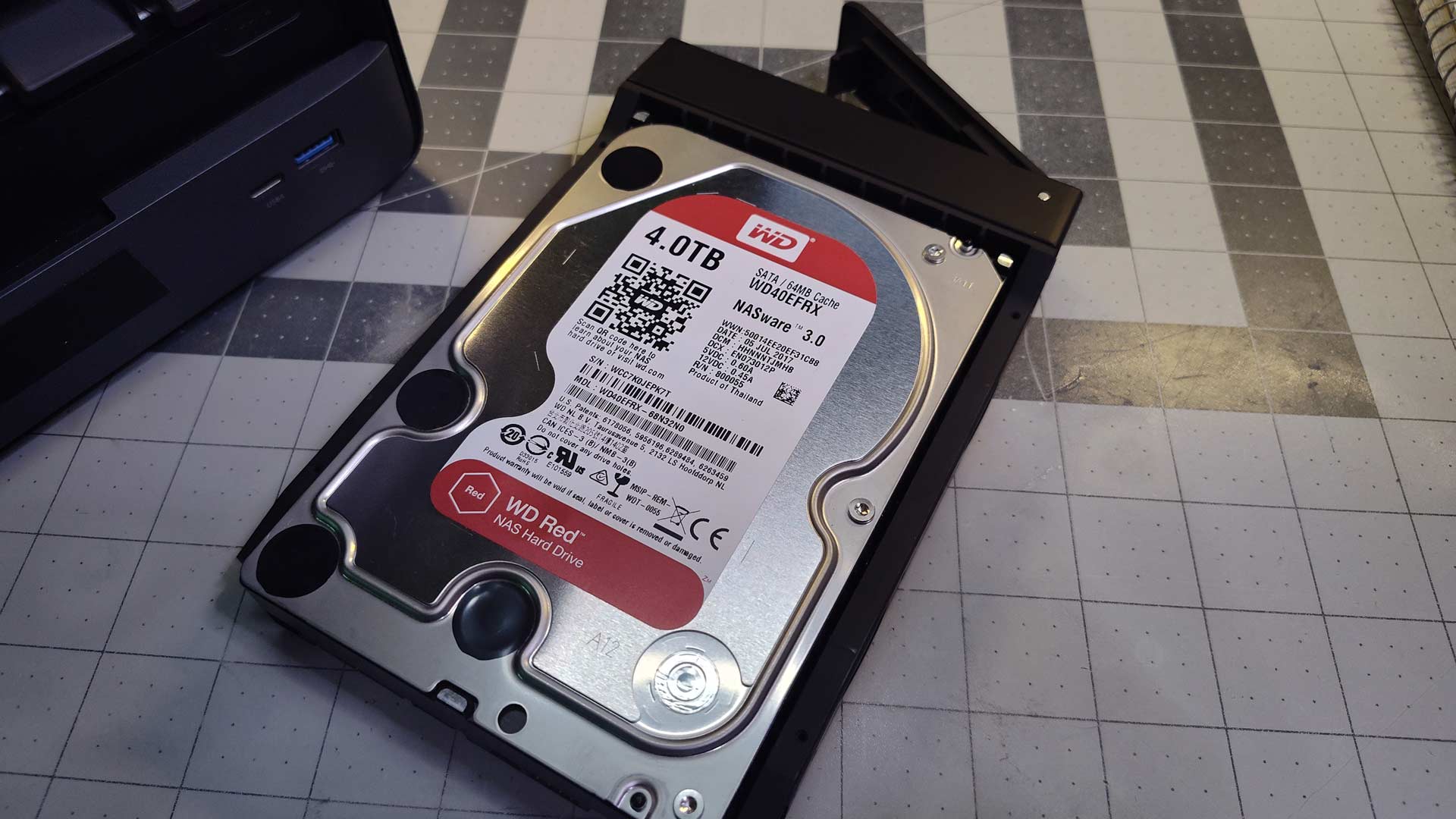
The upgrades brought the system into a state where I’d consider purchasing one for myself. I have an array with about 12 TB of space and enough addressable RAM to run ~30b-class models - and that makes the N5 Pro a capable machine… as long as there’s software to support the hardware.
ROCm support improved toward the end of the year, and by early 2026, the N5 Pro was no longer a shelf ornament.
What’s Under the Hood
While the N5 Pro isn’t exactly a powerhouse, spec-wise, it’s surprisingly capable and has proven itself to be a local LLM workhorse that gets daily use. It’s like an engine that’s high torque on the low end; it isn’t going to be fast, but it’s probably going to move that heavy load without much of a problem.
Processor |
|
|---|---|
GPU |
|
NPU |
|
Memory |
|
Storage |
|
Ethernet |
|
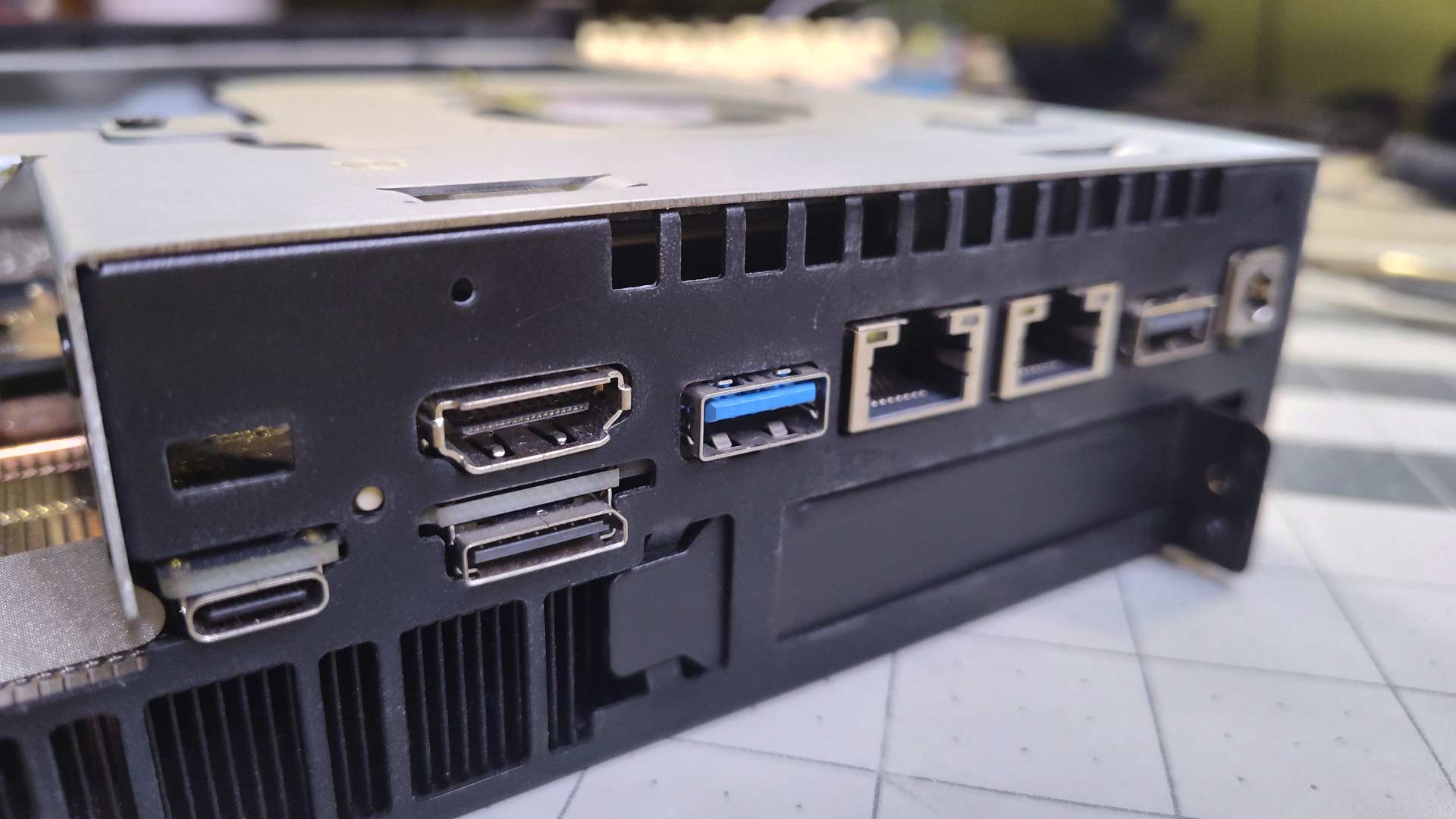
The system is powered by a DC 19V/14.73A 280W AC adapter. It’s a sizable power brick that can provide far more power than the system needs and stays cool to the touch. The machine draws about 65 W under a typical daily workload, down to about 35W when idle.
I once “toasted” a Subway sandwich between two Dell laptop AC adapters after management at a magazine denied my request for a panini press. We exceeded traffic goals, they asked if there was anything that would make my office more comfortable, and I took my shot. If an AC adapter can get hot enough to do that, I don’t want it running in my workspace, and the one that comes with the N5 Pro is the exact opposite - and that’s a good thing.
System in a Tray
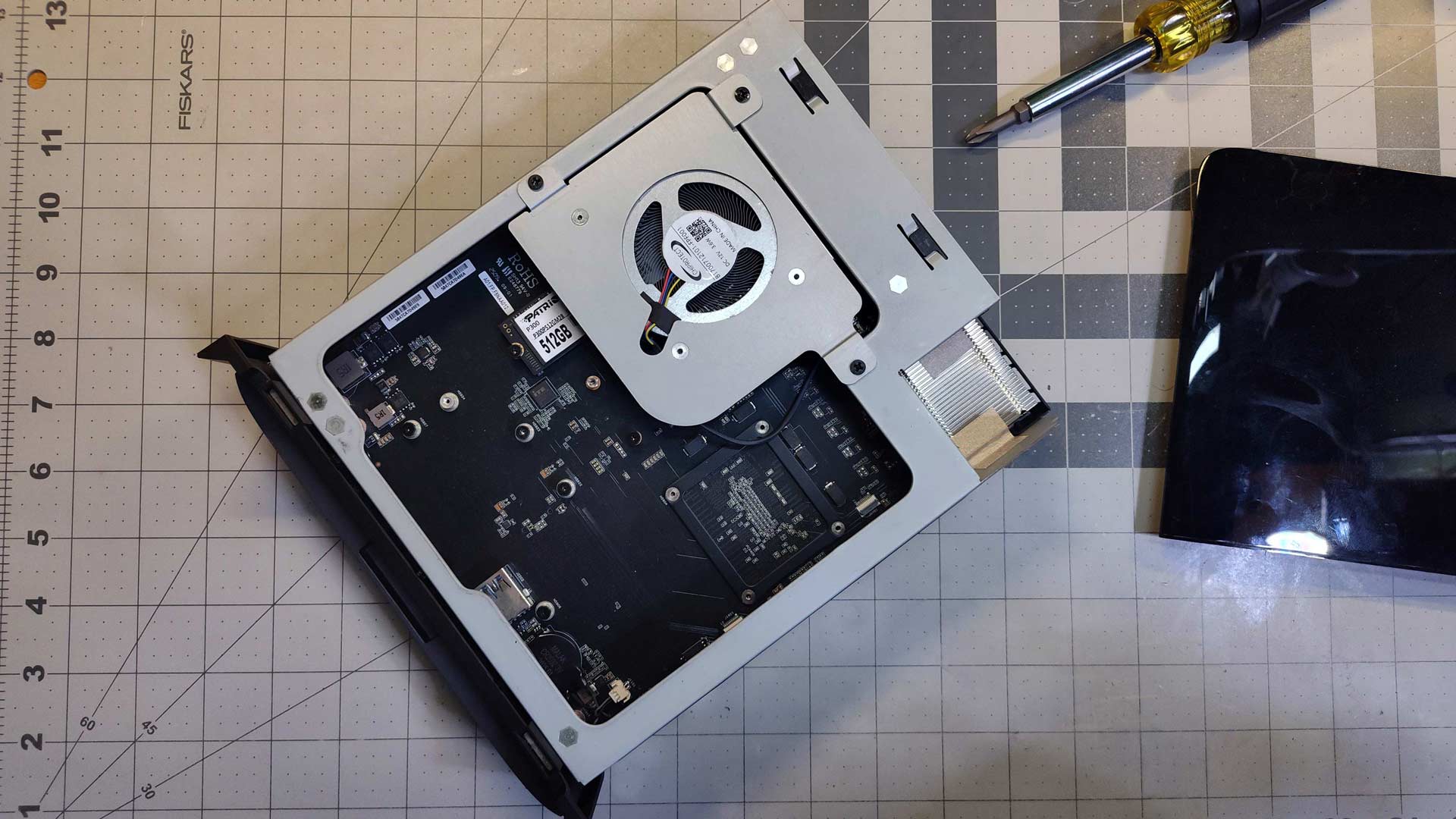
Removing the system’s internals from the casing is as simple as removing two screws and pulling a tray containing the system’s mainboard.
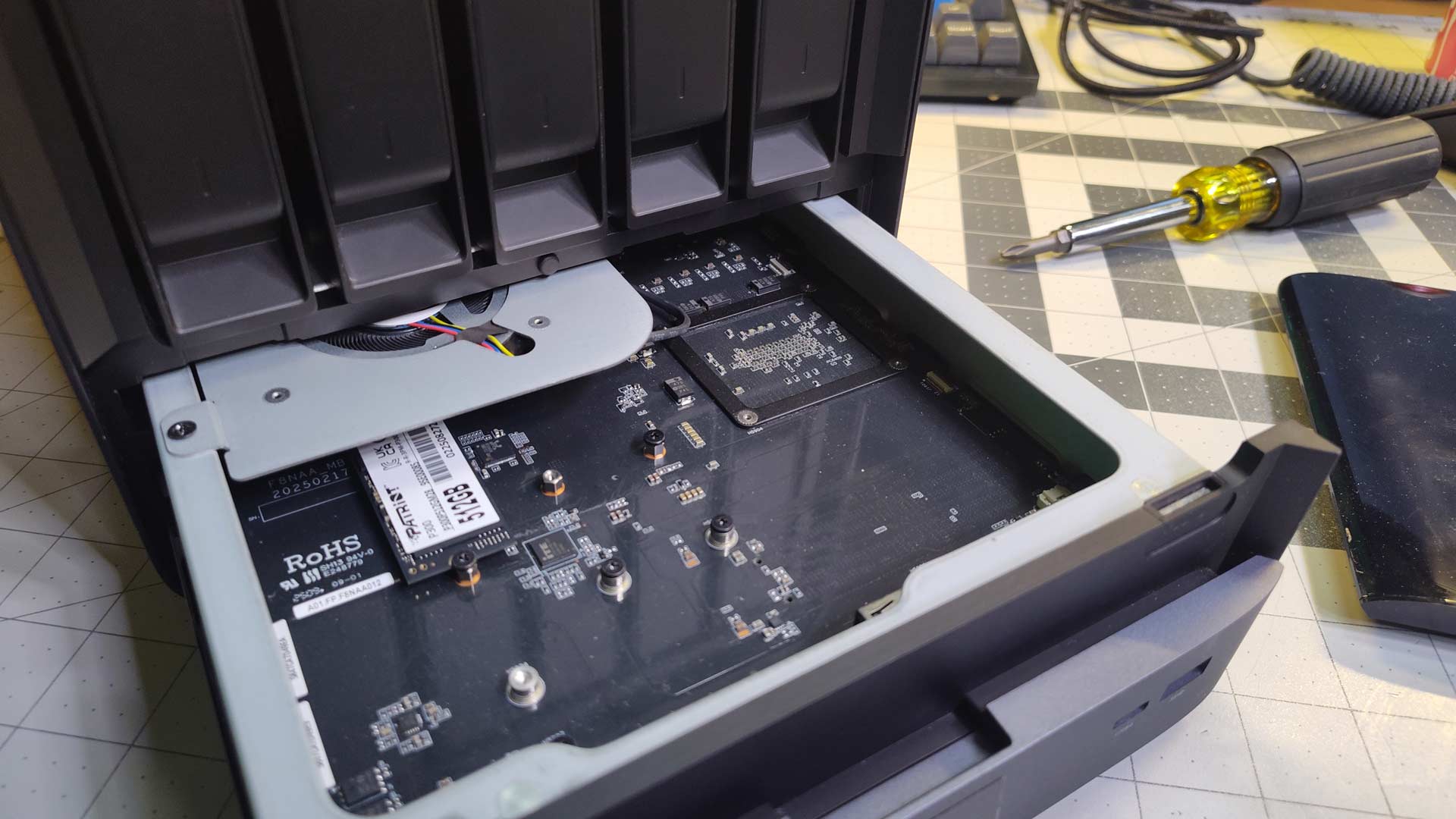
The design makes opening the system for maintenance dead simple, leading to an immediate thought: what if future upgrades could involve just swapping a tray, leaving the existing storage array and casing in place?
Given that the casing has cutouts for ports in the back, I’d say the odds of this are low - but it would be slick.
An Unassumingly Cool Exterior
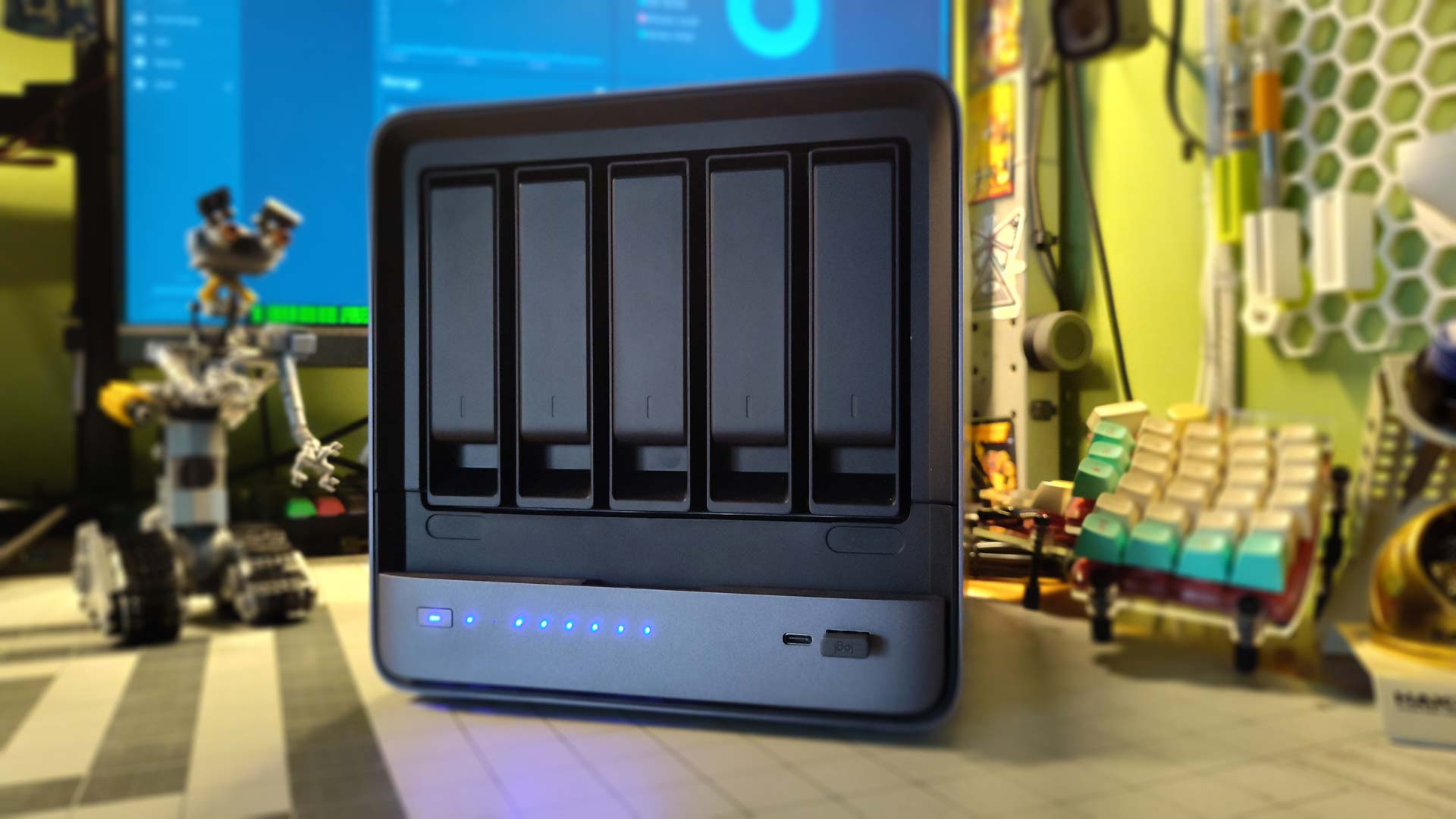
The Minisforum N5 Pro is a slick-looking machine. The charcoal exterior, with just a touch of blue, feels like a modern appliance more than a NAS.
Years ago, Chilisoft released the Chilibox - an all-in-one Linux server that fit into Windows networks effortlessly. They were incredibly handy but hideous: bright red and plasticky with toy-store casing. The N5 Pro is what the Chilibox would’ve become after a few generations of refinement.
The front fascia of the N5 Pro Minisforum sent to me differs slightly from the retail version, or was revised shortly after the system’s release. Mine is glossy, while others have a matte finish. I think the revision was due to fingerprints showing on the glossy fascia, but that’s never been an issue.
Personally, I prefer the glossy look - I get pseudo Daft Punk helmet vibes from it.
There is a cool sense of refinement to the exterior of the N5 Pro. The branding is minimal, with just an “embossed” looking logo placed on the right side of the system.
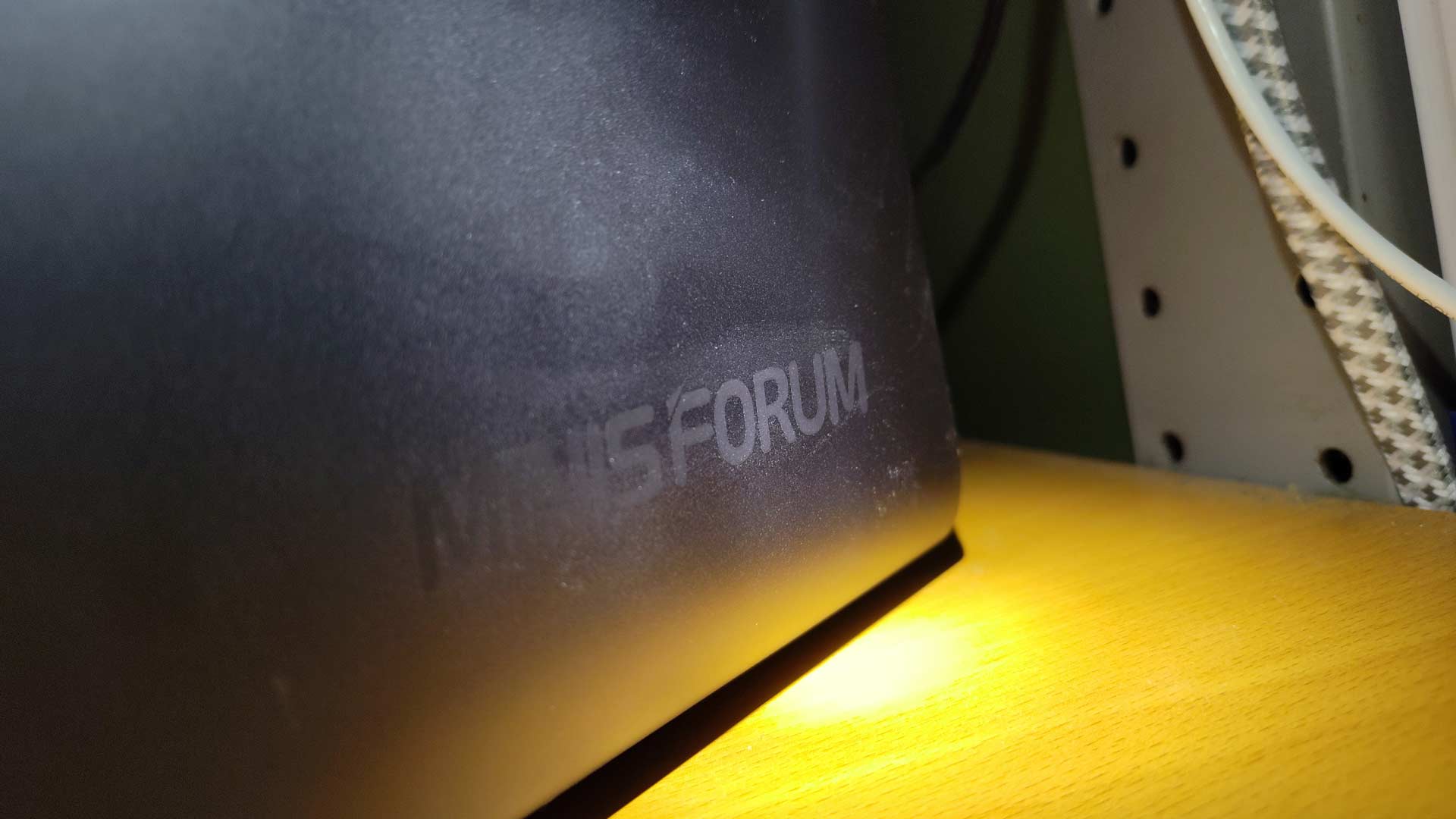
I appreciate that design consideration; if I’ve paid for a system, the last thing I want is it acting like a billboard for its manufacturer. I want it to blend into its surroundings. For the most part, the N5 Pro does this well.
Blue LEDs Are the Worst
The series of LEDs on the front of the case is a distraction, period. I have larger-than-average optic nerve cups in my eyes, so I’m assuming they are why I became so sensitive to them. Some people have walked into my workspace and immediately asked what the machine was up to, so they’re definitely attention-grabbing.
Walking into my workspace with the lights off and seeing halos from the LEDs led to a simple “electrical tape mod.”

When compared to the Technics SC-HD505 behind me, its diffused blue glow says ‘powered on’ without demanding attention. The N5 Pro’s LEDs blink rhythmically with ZFS activity; placing them behind the fascia would retain the intended function while losing the distraction.
Choosing the Right Operating System
The N5 Pro comes with MinisCloud OS, but I didn’t spend much time with it. While I like the idea of Minisforum including its own OS, it hasn’t matured to the point where I’d consider it before other alternatives.
MinisCloud OS represents an exciting prospect: an appliance-oriented OS that can make a system like this the equivalent of a consumer-first Synology. Get the right foundational network services in place, make file sharing easy, and include effortless container hosting. Build in a strong backup option, and the hardware/software pair could become a powerful combination for home computing.
Proxmox was my initial thought; then I looked over at Foxmox (Proxmox cluster), Zoltan, and Kaypro (both Proxmox standalone systems) and decided to install TrueNAS directly on the system since virtualization wasn’t considered. I had a flash-forward like Sarah Connor on Judgment Day, except it was me stuck in an infinite loop of reallocating RAM, and that sealed the deal.
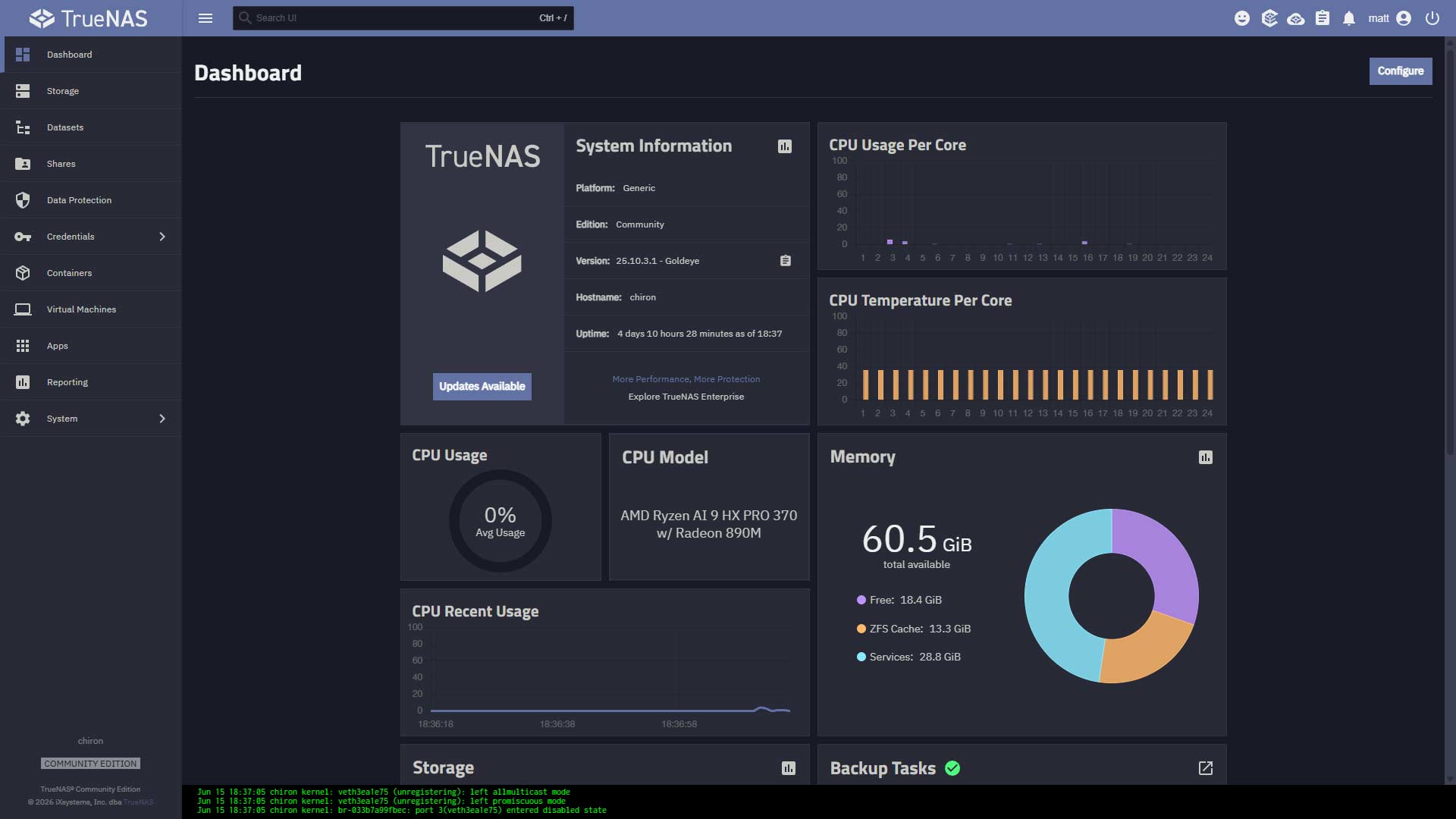
I wanted to keep things relatively simple (this eliminates the need to deal with GPU passthrough), have powerful file sharing, and have zero interest in running VMs like other systems - placing a focus on leaving as much RAM accessible for LLMs as possible - and TrueNAS fit the bill nicely.
TrueNAS is installed on the 512 GB NVMe, and the ~4 TB drives are configured as a RAIDZ1 array.
Containerize (Almost) All the Things
Since TrueNAS is the base we’re working with, I don’t want to add any services on top of the system in ways that aren’t exposed by the UI. Shoehorning things into working from the CLI isn’t happening here.
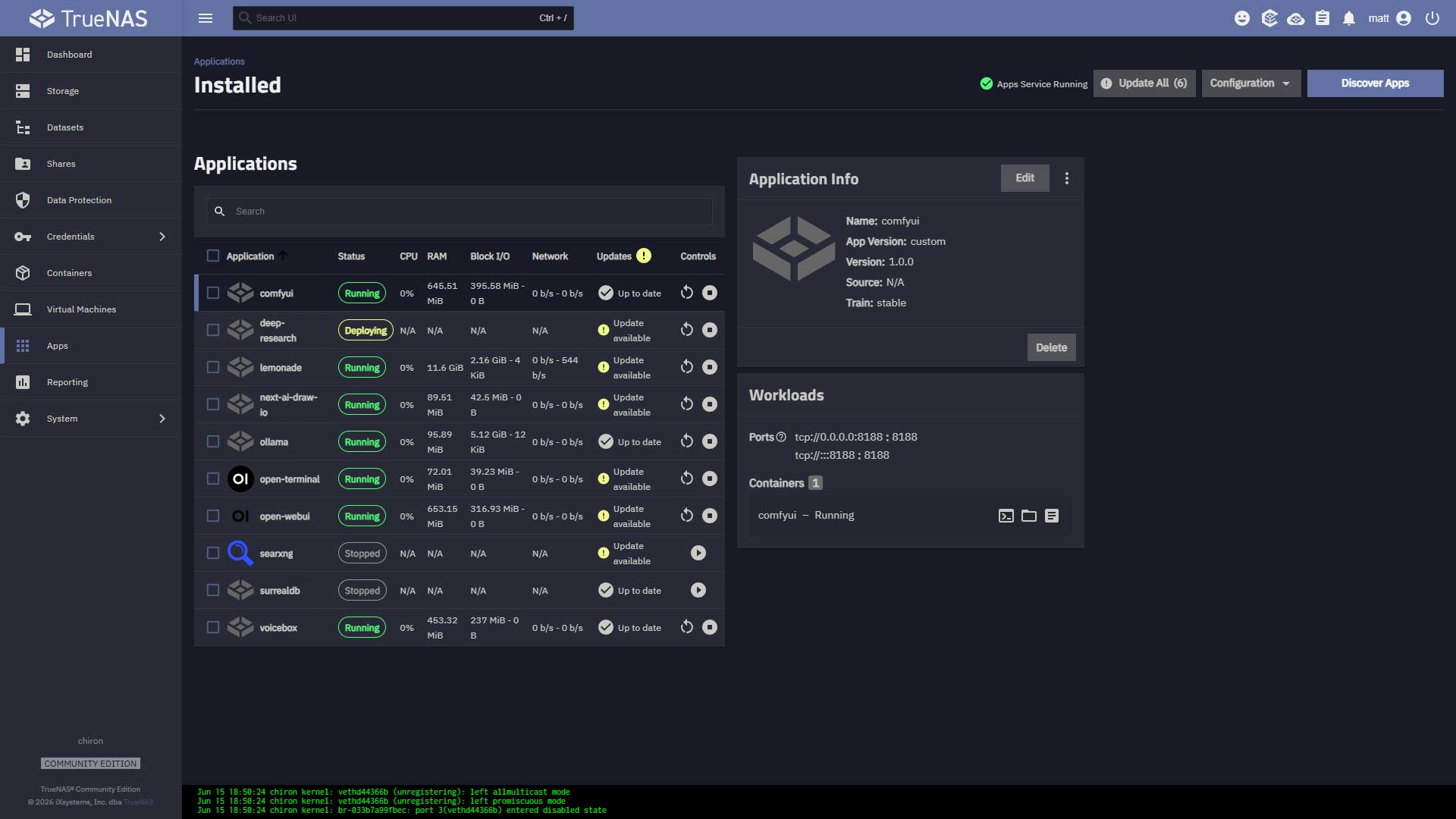
My focus is on simplifying management as much as possible, so time is spent using the system instead of caring for it - and that made containers the logical route to take.
Ollama
The current standard for self-hosted LLM inference. While there are more performant options, Ollama is relatively lightweight, and most importantly, it works. Models in the 7-12b are very responsive once loaded into memory, and a ~30b Q4_K_M model will output ~8 tok/s. Blazing fast? Nope. Local, private, and capable of doing work in the background? Heck yes.
The ROCm version of the Ollama Docker image enables GPU access out of the box, making for a quick way to kick-start AI-related work with the N5 Pro.
The Docker Compose file I use for running Ollama as a TrueNAS application is available on GitHub:
https://github.com/Foundry81/ollama-rocm-n5pro
You’ll need to create a dataset for Ollama to store model files, etc, and modify the YAML to reflect the correct path to the dataset. Be sure to update the Docker image version while you’re at it, too.
My early experience with Ollama was frustrating in comparison to running it on other hosts on my network, but it has greatly improved over the course of Spring 2026. Timeouts and seemingly random crashes have been replaced by dependable performance and the ability to run 30b-class models locally, and that opens up plenty of opportunities.
Lemonade Server
The N5 Pro ships with an NPU, and it was a feature I looked forward to working with the most. The N5 Pro’s NPU worked when it arrived at me, but only when running Lemonade on Windows.
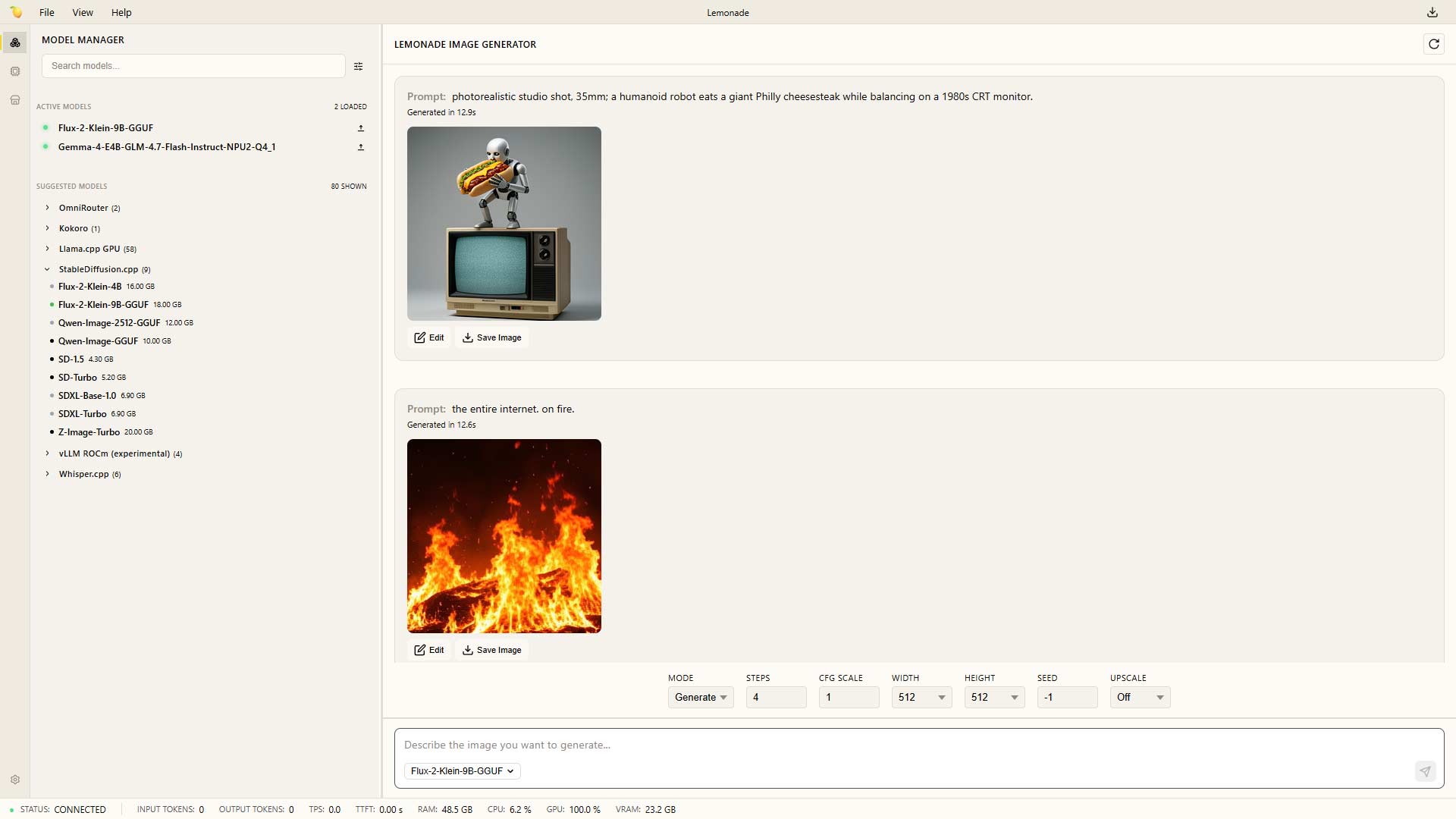
Lemonade Server is an LLM hosting/inference platform much like Ollama, with a few key differences:
- It’s coming from AMD, a hardware manufacturer, and the platform the N5 Pro is based on
- It uses several tools for hosting LLMs on the backend, offering more flexibility than Ollama
Lemonade’s NPU support landed in March 2026. By April, Gemma 4 E4B was available. The NPU ran it on day one - and it was a level of platform readiness, and a shot in the arm for the system.
The model I’m using is a community fine-tune: DavidAU/gemma-4-E4B-it-GLM-4.7-Flash-HERETIC-UNCENSORED-Thinking - Google’s Gemma 4 E4B instruction-tuned, merged with GLM 4.7 Flash, uncensored, with thinking tokens enabled. Output of ~45 tok/s with minimal power usage is an awesome thing to have hanging out under my desk: https://huggingface.co/DavidAU/gemma-4-E4B-it-GLM-4.7-Flash-HERETIC-UNCENSORED-Thinking
It goes from loading into memory to a response more quickly, which can be felt as a responsiveness improvement among applications using Lemonade’s API.
Open WebUI
Ollama and Open WebUI go together like peanut butter and jelly, and it made good sense to move my instance to the N5 Pro since so many other LLM-related services were being consolidated on it. Combining it with Open Terminal provides models with terminal access for running shell commands, etc., and integrating it with other self-hosted tools enables efficient search, HTML scraping, and access to nearly every personal project I’ve worked on since the Zip Drive was the new hotness.
Seriously, my first Zip drive was when I began to take file management seriously, and the disks are sitting in a storage box now - after their contents were moved to a network share. There’s a codebase for a chemistry Regents Exam simulator from 10th grade, assignments from college, and even old Napster Hack Attack-related docs where my name came up years ago.
It’s all available to my models via Open WebUI, enabling s a level of contextualization that makes for a very rich experience.
SearXNG
SearXNG is a free, open-source, metasearch engine that aggregates results from dozens of search services (Google, Bing, and DuckDuckGo) into one clean, ad-free page. It’s handy, but Google.com still tends to win due to muscle memory. SearXNG really shines when it comes to providing search capabilities to models.
Open WebUI takes minutes to configure to use SearXNG, and getting it to work with n8n is just as easy - and becomes a great tool to use with the AI Agent node. Other services, including local AI agents, use SearXNG as their default search engine, giving me one location to tune search results.
n8n
n8n has become synonymous with automation over the past year, and for good reason - it works.
It’s also a lot of fun to use - if you can find useful ways for it to automate tasks for you. My instance of n8n isn’t exposed to the web - it brings a ton of functions to internal automation, and I can always access my helper workflows via Twingate when I’m on the road.
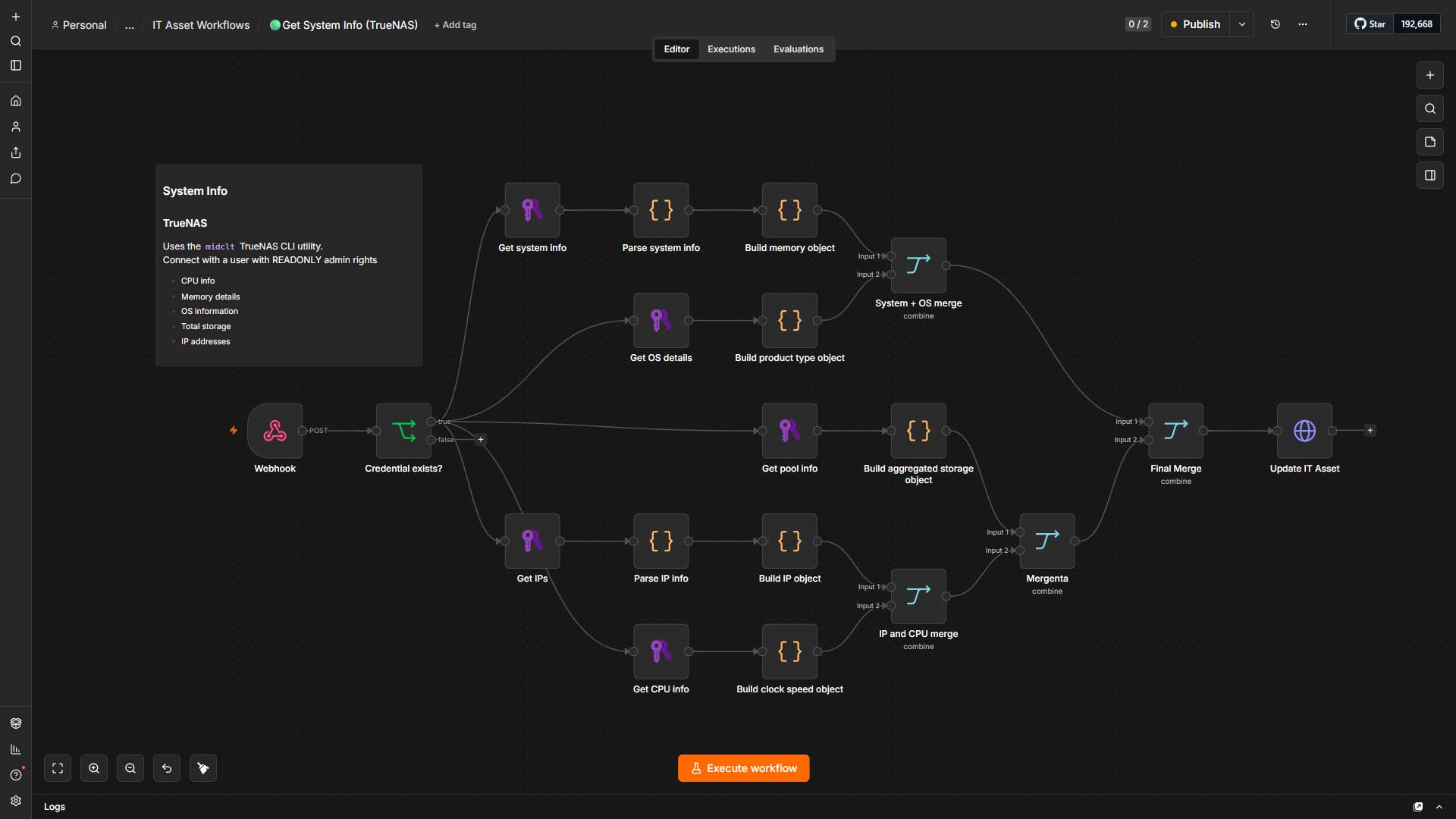
I have a handful of workflows that pull from a local RSS aggregator, providing me with daily briefings, alerts, and feed other systems. There’s also a bunch of IT-management-related workflows for maintaining visibility over systems and other operations-related tasks, along with workflows I’ve built for others: https://github.com/Foundry81/n8n-zoom-transcript-analysis
ComfyUI
Having a system with a considerable amount of memory accessible to models is what made the N5 exciting in the first place. Running it with a 6 GB GPU before moving to a 12 GB GPU was fun, and being able to load larger models, LoRAs, and other components was my “Nintendo Sixty Four Kid” moment with the N5 Pro. Moving from Stable Diffusion 1.5 to FLUX.1 and over to Stable Diffusion XL is plain fun.
Getting ComfyUI running as a TrueNAS application was a bit of a struggle, and it became pretty straightforward once I realized I needed to build an image with drivers to enable GPU access. It’s a bit bloated, but hey, it works, and I’ve been impressed with the output.
Find this post looking for a hand with ComfyUI on a similar setup? Grab my Docker image and Compose files from here: https://github.com/Foundry81/comfyui-rocm-n5pro
A few ComfyUI updates later, and image generation went from novel to usable.



I’m not a fan of 100% AI-generated imagery and have found myself using ComfyUI to generate assets that get worked into compositions, something I’ve been doing regularly for a couple of years.
ComfyUI also has an API that can be used to integrate it into Open WebUI and n8n, bringing its capabilities into local AI chat and automations with ease.
withoutBG
Removing backgrounds from images generated by ComfyUI is something I do often, so having a local service with a simple drag-and-drop interface is handy. withoutBG runs as a Docker container, doesn’t require a volume or any location to store data, and doesn’t even need a GPU.
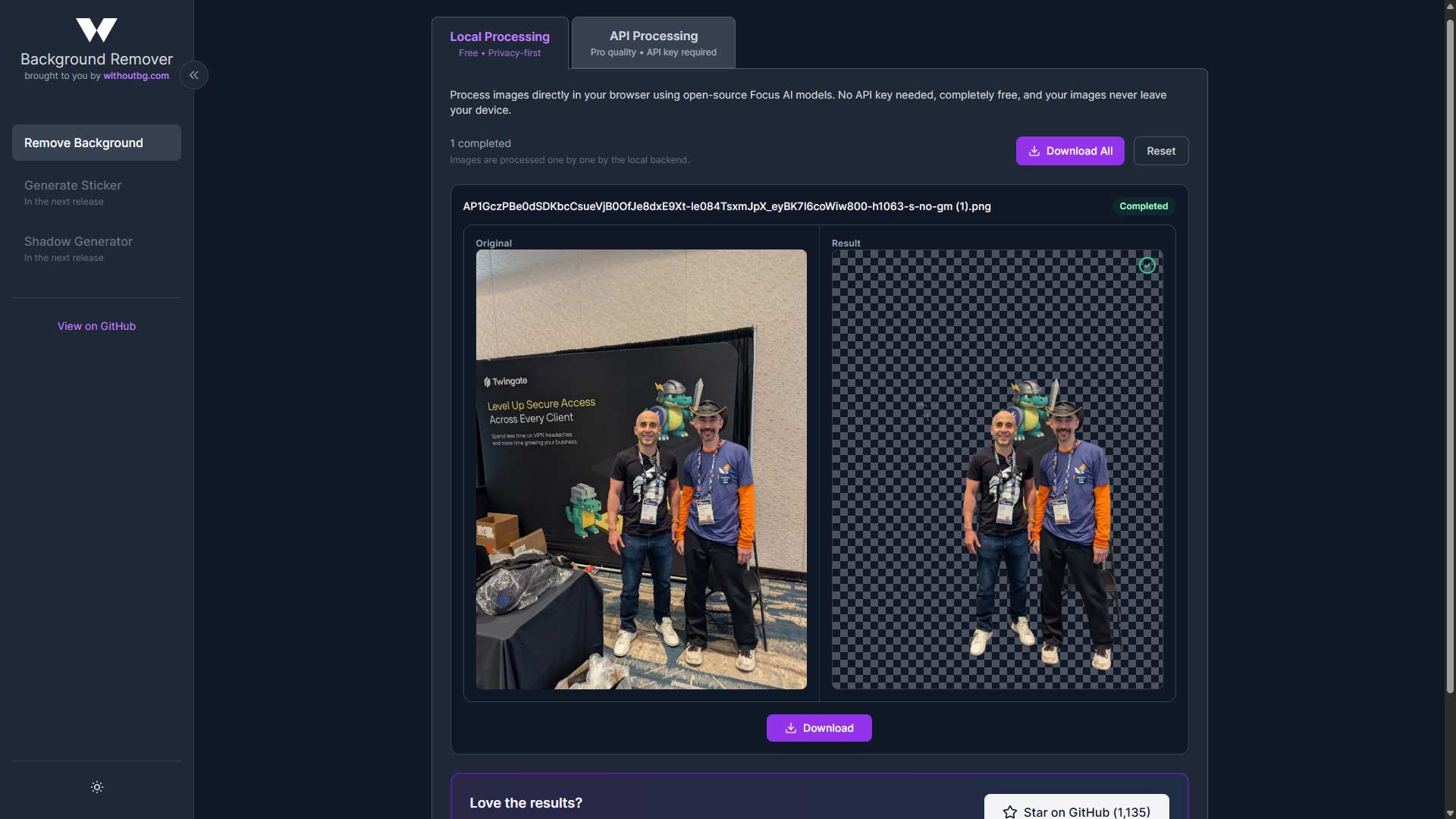
Running it on this N5 Pro isn’t much different from running it on an old Ryzen 3 mini PC. Drop an image onto the UI, and about 10 seconds later, you have a cleanly siloed PNG file. It works, is reliable, and is a daily go-to.
https://hub.docker.com/r/withoutbg/app
Agents Get a Dedicated VM
I spun up a Debian 13 VM running Hermes Agent, and it has been using about 1.3 GB of 4 GB of RAM allotted to the VM and has been running without any issues for the past month. There’s an instance of OpenCode available on the VM, too. I should keep the two separate, or at least have the compulsion to, but I’m leaving them together to avoid occupying RAM that could otherwise be used for inference.
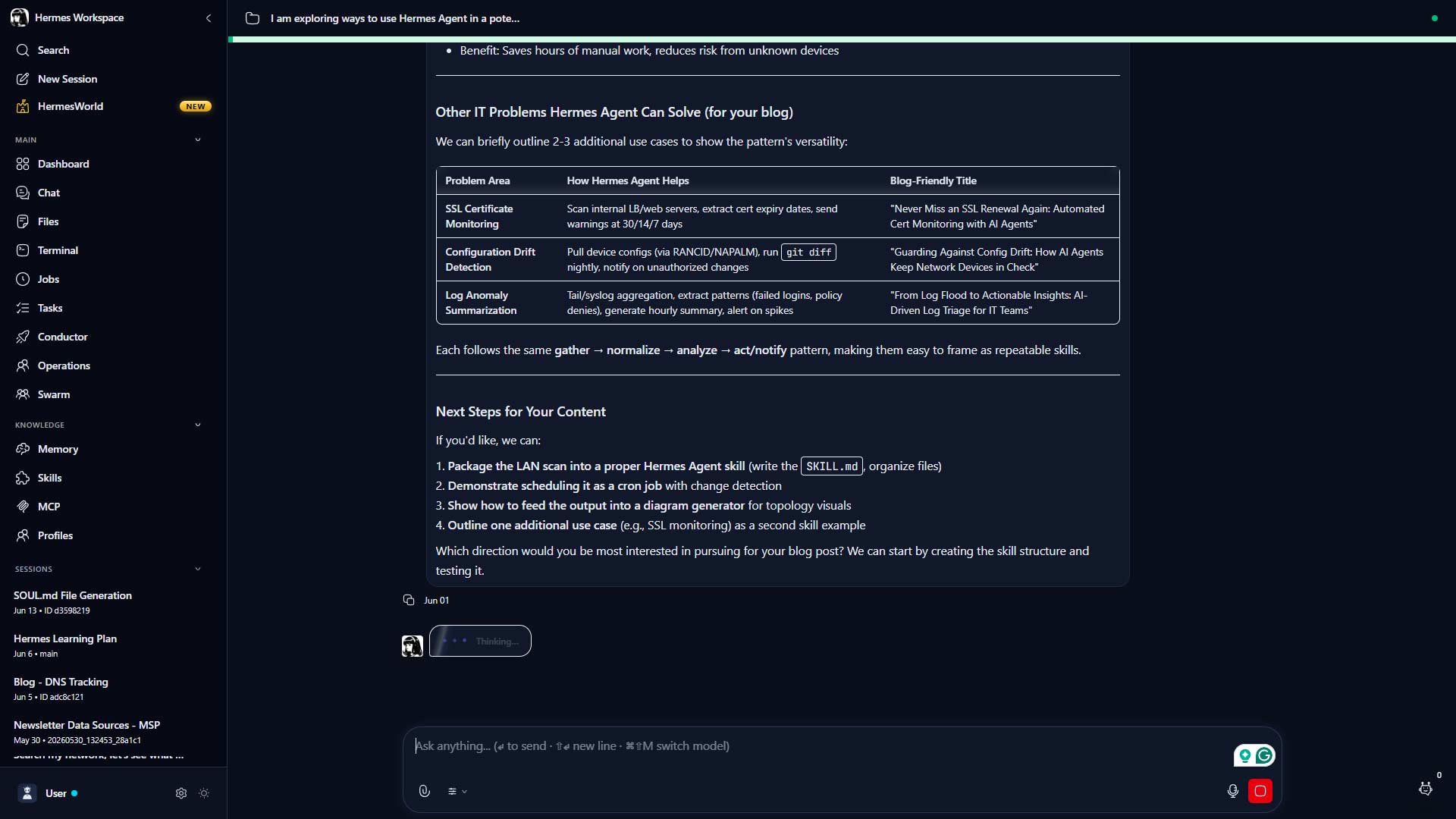
New AI agents and other tools are being released every week, so I consider this VM’s workloads pretty transient. Data is stored in a dataset that’s exposed as an NFS share, and the VM itself gets the Ivan Drago treatment.
If it dies, it dies.
Model Redundancy
I’m typically not too concerned with backing up LLM-related files, prioritizing data over everything else, but I took a different approach this time. Knowing I’d be able to run 30b-class models on the setup meant more storage than usual and a lot more time if I needed to download them again. Moving files from my existing ComfyUI setup to Chiron confirmed I’d need a local means of data protection - without impacting my normal backup plans.
Chiron’s running TrueNAS, and I have an old Datto ALTO3 also running TrueNAS on the shelf above my desk, so why not set up a replication job to mirror the model files to the Datto? The Datto isn’t powerful, but it does have another ~4 TB drive in it - and makes for a nice repository for odds and ends I don’t want polluting my normal backups.
The Datto ALTO3 is a Business Continuity and Disaster Recovery appliance designed specifically for SMBs. Back when I worked at an MSP, they were a partner, and I created a ton of Datto (and Autotask) marketing materials without seeing a device in person. I found one for $28 USD while looking for the mini-PCs that became my Proxmox cluster, popped a spare HDD in, and it’s now living its second life, doing exactly what it was designed for - just in a slightly different way.
What’s Next
The Minisforum N5 Pro is a solid, power-efficient setup that hit the market a bit sooner than it likely should have. With the proper support and patience and finding memory and storage that won’t break the bank, it’s become a capable system that prioritizes productivity over performance.
I’m going to pick up another NVMe during my next trip to MicroCenter and move the model files from the disk array to improve model load times.
Upgrading to 96 GB RAM will allow me to move all services running on Oberon (my main Docker host) to Chiron, and then Oberon can become the 4th node in my Proxmox cluster.
That’s it. The system is going to take on more responsibility because it’s become an unexpected workhorse on my home network. It’s a practical choice for anyone who cares about storage and wants local AI - in a single box. Looking back at the past several months with the N5 Pro, I think my Synology’s days might be numbered.
Contents
Tags
Recent Posts
-
observation
 9/11: 25 Years Later
-
self-hosting
 Bumping Integrated GPU Memory Limits
-
self-hosting
 Containerized ComfyUI with ROCm 10 on the Minisforum N5 Pro Running TrueNAS
-
observation
 Under Our Own Power
-
infrastructure
 What Does “Zero Trust” Actually Mean?
-
What Happens When a CVE Becomes a KEV?
-
The Language We Inherit From Machines
-
DNS Decisions: Recursive, Authoritative, and Forwarding Explained
-
The Real Watermark is You
-
I Like My Web Servers Basic AF